

Swapping a legacy timecard machine for something modern sounds like a simple upgrade. Then the demos start, every vendor claims the same things, and the shortlist blurs together. The gap between a good system and an expensive headache usually comes down to a handful of features that either hold up under a MOM inspection or quietly let hours slip through. If you are building an attendance system buyer guide Singapore teams can actually use, start with what the software has to prove, not what it promises on a slide.
Good time attendance software Singapore employers rely on does more than stamp a time. It becomes the source record behind salaries, overtime, leave balances and statutory filings. Get the inputs wrong and every number downstream inherits the error. Here are the five features worth holding firm on.
What MOM Record-Keeping Rules Require
Before comparing features, it helps to know what the law expects you to hold. Since 1 April 2016, employers covered by the Employment Act must keep detailed employee records, and the Ministry of Manpower (MOM) sets clear retention periods. Records for current employees must be kept for two years. For someone who has left, you must keep their records for at least one year after their last day.
Those records include salary details, hours worked, overtime, and leave taken. Itemised payslips must also reach employees within three working days of payment. When an inspector asks for two years of attendance and salary data, a spreadsheet that lives on one person’s laptop is a weak position. A system that stores and exports this cleanly turns a stressful request into a five-minute task. That is the lens to apply to every feature below.
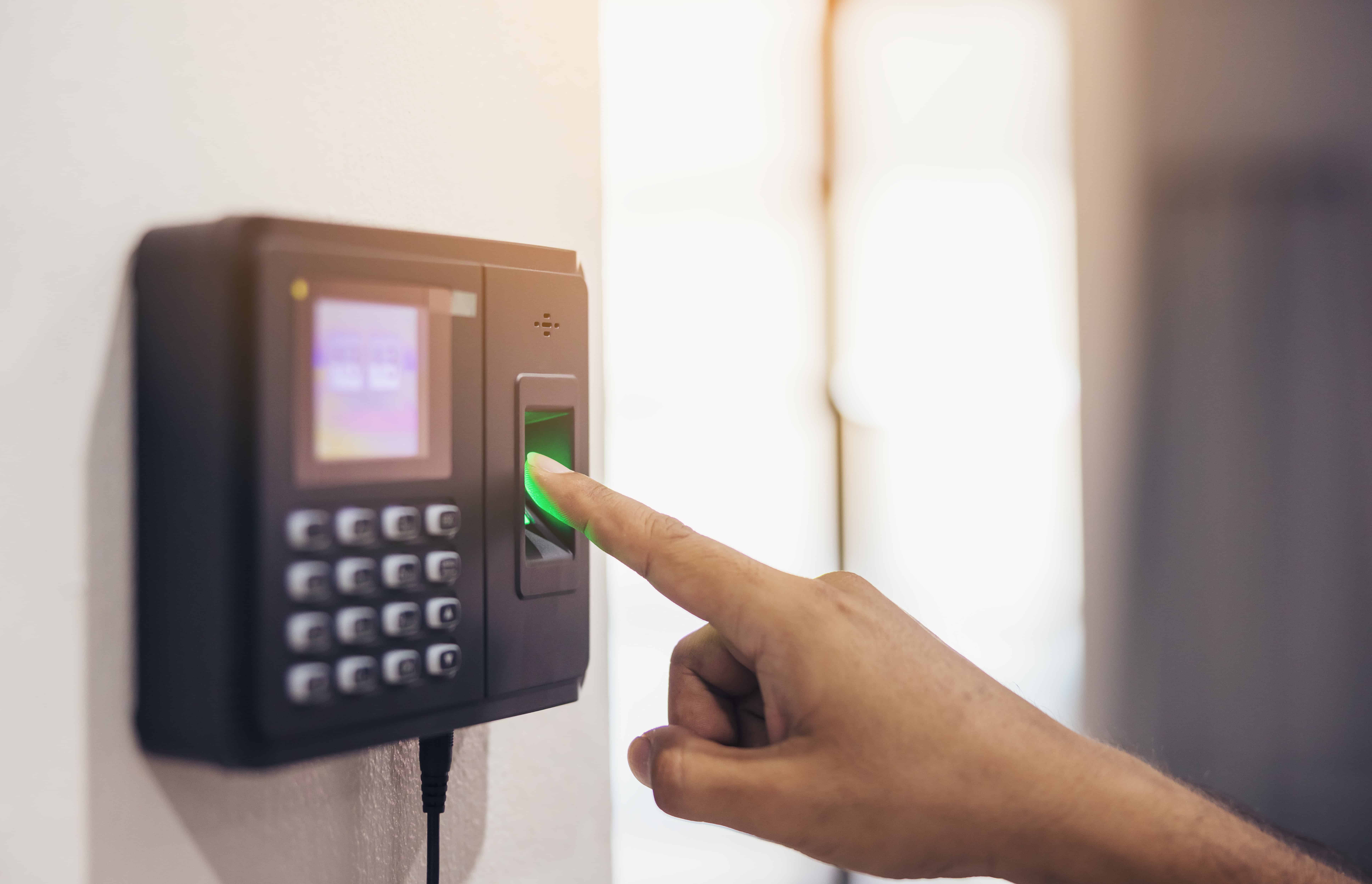
Feature 1: Mobile and Biometric Clock-In
Buddy-punching, where one colleague clocks in for another, is the oldest way to lose money on payroll. Fixed card readers cannot tell who is actually standing there. A modern system closes that gap.
- Biometric or facial verification: The person clocking in is confirmed as themselves, so the hours you pay match the hours actually worked.
- Mobile clock-in: Staff who start their day at a client site or on the road can log time from a phone, rather than making a detour to a wall-mounted reader.
- Photo and timestamp capture: Each entry carries evidence, which settles disputes quickly and supports the salary records MOM expects you to hold.
When you weigh up what features to look for in a time attendance system in Singapore, identity verification sits near the top. Everything downstream trusts that first tap.
Feature 2: Geofencing for Off-Site Teams
A 40-person facilities company with cleaners across a dozen buildings cannot herd everyone to one clock. Geofencing draws a virtual boundary around each approved location. Staff can only clock in when their phone confirms they are physically there.
For distributed crews, retail chains and service teams, this removes the honesty gap of remote clock-ins without micromanaging anyone. It also gives supervisors a live view of who has started where, which helps when a site is short-handed at the start of a shift. Location-stamped entries add another layer to your records, useful if a wage claim ever needs untangling.
Feature 3: Shift and Roster Integration
Attendance data means little without the roster it should be measured against. A system that treats shifts as a separate spreadsheet forces someone to reconcile the two by hand every cycle, which is exactly where errors creep in.
- Rostered versus actual: The software compares planned shifts with real clock-ins, flagging late starts, no-shows and unplanned overtime automatically.
- Rotating and split shifts: F&B and healthcare teams rarely work nine-to-five. The system should handle rotating patterns, rest days and public holiday rules without manual workarounds.
- Overtime calculation: Part IV of the Employment Act governs overtime for eligible employees, so the software should apply the right rate rather than leaving it to a formula in a cell.
Feature 4: A Direct Link to Payroll
This is where attendance either saves time or creates it. If approved hours flow straight into payroll, no one re-keys anything, and the risk of a transcription error disappears. If they do not, someone spends the last two days of every month copying numbers between systems and praying the totals match.
A clean payroll link means verified hours, overtime and leave feed the salary run directly, and the same data supports CPF contributions and the itemised payslips you are required to issue. For finance leads who dread month-end, this single feature often justifies the switch on its own. It is also the point where attendance stops being an HR admin task and starts protecting your payroll compliance.
H2: Feature 5: A Complete Audit Trail
The final feature is the one nobody thinks about until they need it. Every edit, approval and correction should be logged with a name and a timestamp. If a manager amends a clock-in, the record should show who changed it, when, and what it was before.
An audit trail does two jobs. It deters quiet edits that inflate hours, and it gives you a defensible record if MOM, an employee, or your own finance team ever questions a figure. Paired with proper retention, it means you can produce two years of clean, traceable attendance history on request rather than reconstructing it under pressure.
Replacing an old timecard system is a chance to fix the weak link between the hours your team works and the salaries you pay. At YesPay, we build attendance into the same platform that runs your payroll and statutory filings, so the data only has to be right once. Backed by HRnetGroup and more than 33 years of experience in Asia, we help Singapore employers keep records that hold up and payroll that runs on time. See how our time attendance software in Singapore handles clock-in, rosters and payroll in one place, and give your HR team back the hours reconciliation used to take.
References:
- Employment records. Retrieved on 7 July 2026 from https://www.mom.gov.sg/employment-practices/employment-records
- What employee records do I need to keep? Retrieved on 7 July 2026 from https://www.mom.gov.sg/faq/contract-of-service/what-employee-records-do-i-need-to-keep
- Hours of work, overtime and rest day. Retrieved on 7 July 2026 from https://www.mom.gov.sg/employment-practices/hours-of-work-overtime-and-rest-day
- Itemised payslips. Retrieved on 7 July 2026 from https://www.mom.gov.sg/employment-practices/salary/itemised-payslips